Tutorial
Tutorial — get one ticket to land
Try Lingtai on Chapter Garden, an Astro site: set up, open a ticket, let an agent work.
Before you start#
You need Git, Claude Code or Codex signed in, and Node.js 26.13.0 with npm. See requirements.
Step 1 — Set up this machine#
Install Lingtai, clone the site and register it. Press Enter at each question to take the default.
curl -fsSL https://lingtai.hczhang.com/install.sh | sh
git clone https://github.com/steven-zhc/chapter-garden.git
lingtai init --local chapter-garden
With the sandbox on, init runs claude setup-token once, opening a browser.
Skip it and the first ticket fails until lingtai token claude; see
requirements.
If lingtai is not found, add ~/.local/bin to PATH.
init picks from what is signed in:
| Signed in | Writes | Reviews |
|---|---|---|
| Claude Code only | Claude Code | Claude Code |
| Codex only | Codex | Codex |
| Both | Claude Code | Codex |
A reviewer from another vendor catches more of what the writer missed, but one agent is enough for this book.
Enter at the mode question makes a team project; solo is the other.
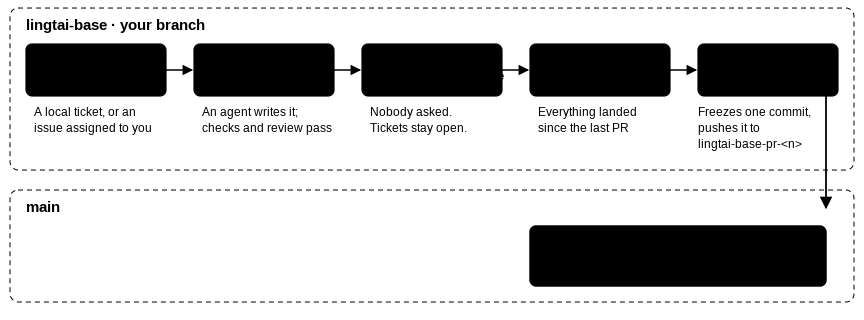
Open the diagram at full size.
Step 2 — Open one ticket#
Pick a story from the bookshelf. Run once; a second run is a second paid ticket.
lingtai ticket new --title "Add the next chapter to The Sun's Ninth Minute" --label feature \
  --body "Find the latest chapter of this story and write one new chapter that continues it. Follow the story's existing language, chapter numbering, and Markdown layout. Keep earlier chapters unchanged. Done when the new chapter appears on the site."
Continue when Lingtai prints created #N.
Step 3 — Start#
Starting pays for at least two runs, writer and reviewer, on the accounts above, more if a check buys a fix round.
lingtai start
Leave it running; Ctrl+C stops after the attempt in flight. In a second
terminal run lingtai board to watch it. The board has no login and listens on every network address; board.host: 127.0.0.1
in ~/.lingtai/config.yml keeps it on this machine.
If review raises findings, the card stops in Waiting on you:
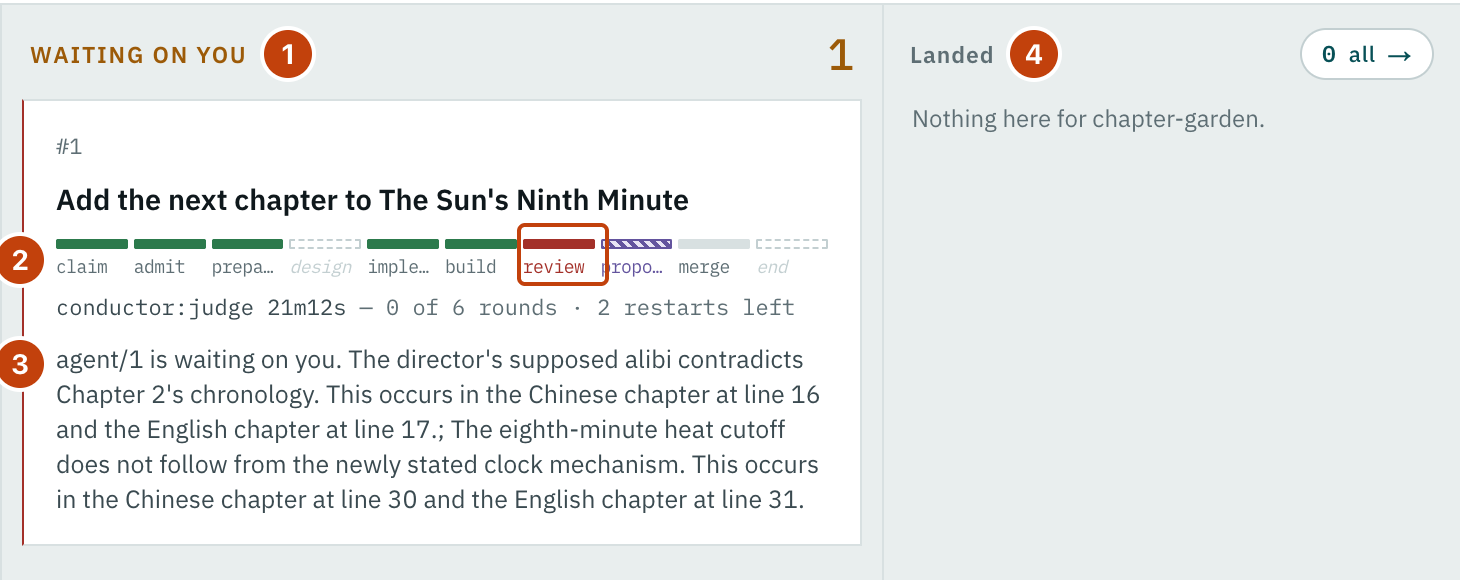
- Waiting on you: nothing more is spent until you answer.
- review is red: built, then refused.
- The findings. On the card's page: another writer round, a new attempt, or approve.
- Landed is empty until review passes or you approve.
When the card is Landed:
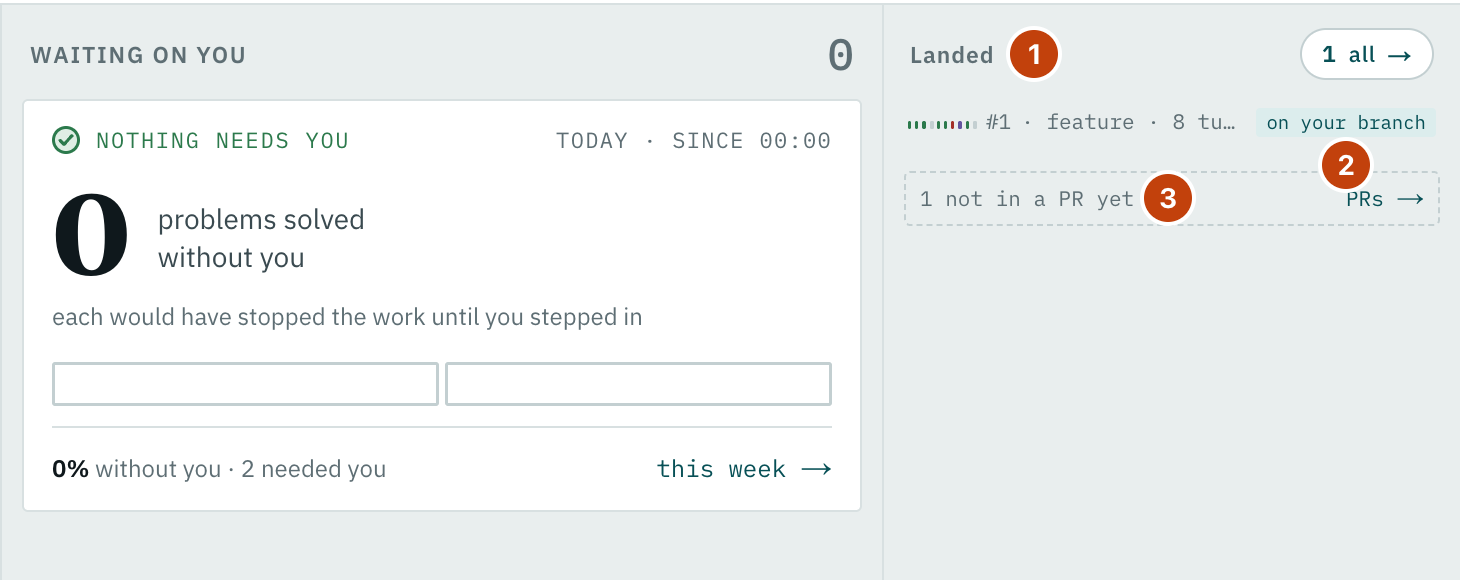
- Landed: merged into your branch.
- on your branch: not yet on
main. - 1 not in a PR yet: waits for your PR.
Look at what landed:
git -C chapter-garden log -1 --stat lingtai-base
git -C chapter-garden diff main...lingtai-base
The next chapter takes it to main in a PR. To OK each landing first, declare
a human: at proposed:; see the recipe.
Next#
Next: Team mode — the way we recommend working.